Prism
Create triangular 3D prism shape with optional beveling.
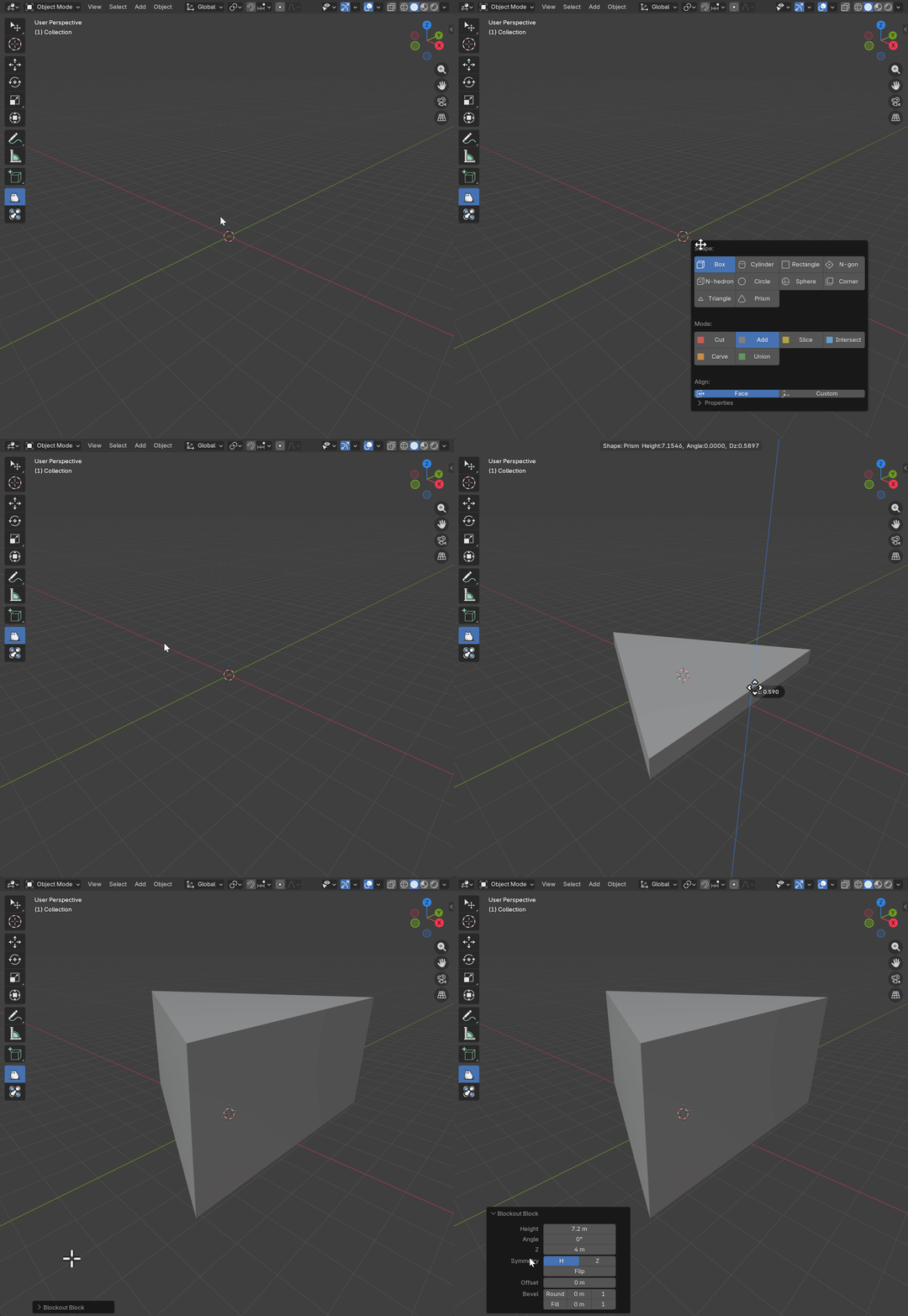
Basic Usage
- Select Prism shape from the shape menu
- Click and drag on a surface to define the base triangle
- Move mouse up/down to set height (Z dimension)
- Click to confirm or right-click to cancel
Parameters
Height (Base)
- Description: The height of the base triangle
- Range: 0.001 to 100.0 (Blender units)
- Default: Based on draw size
- Effect: Controls the size of the triangle base
Angle
- Description: The angle of the top vertex of the base triangle
- Range: 1.0 to 179.0 degrees
- Default: 90.0
- Effect: Controls the shape of the triangular footprint
Dimensions Z
- Description: Height of the prism along the Z-axis (extrusion)
- Range: 0.001 to 100.0 (Blender units)
- Default: Based on mouse movement during creation
- Effect: Controls the vertical extrusion of the base triangle
Symmetry Options
Symmetry
- Type: Boolean
- Default: True
- Effect: Mirrors the prism base creation along height
Flip
- Type: Boolean
- Default: False
- Effect: Flips the prism base orientation
Symmetry Z
- Type: Boolean
- Default: False
- Effect: Creates the prism symmetrically above and below the drawing plane
Offset
- Description: Distance to offset the prism from the drawing surface
- Range: -10.0 to 10.0 (Blender units)
- Default: 0.001
- Effect: Positive values move the prism away from the surface, negative values embed it
Bevel Options
Bevel Round Enable
- Type: Boolean
- Default: False
- Effect: Adds rounded edges to the prism
Bevel Round Offset
- Description: Radius of the rounded bevel
- Range: 0.0 to 1.0 (relative to size)
- Default: 0.02
Bevel Round Segments
- Description: Subdivision count for rounded edges
- Range: 1 to 16
- Default: 2
Bevel Fill Enable
- Type: Boolean
- Default: False
- Effect: Adds chamfered (flat) edges to the prism
Bevel Fill Offset
- Description: Width of the chamfer
- Range: 0.0 to 1.0 (relative to size)
- Default: 0.02
Bevel Fill Segments
- Description: Subdivision count for chamfered edges
- Range: 1 to 8
- Default: 1
Shortcuts
| Key | Action |
|---|---|
LMB Drag | Draw base Prism |
Mouse Move | Adjust Prism |
LMB Release | Extrude Prism |
Ctrl | Constrain proportions |
RMB / ESC | Cancel operation |
X | Toggle Symmetry |
F | Toggle Flip |
Z | Toggle Z symmetry during creation |
B | Enter Bevel Mode |