Triangle
Create triangular 2D shape defined by height and angle.
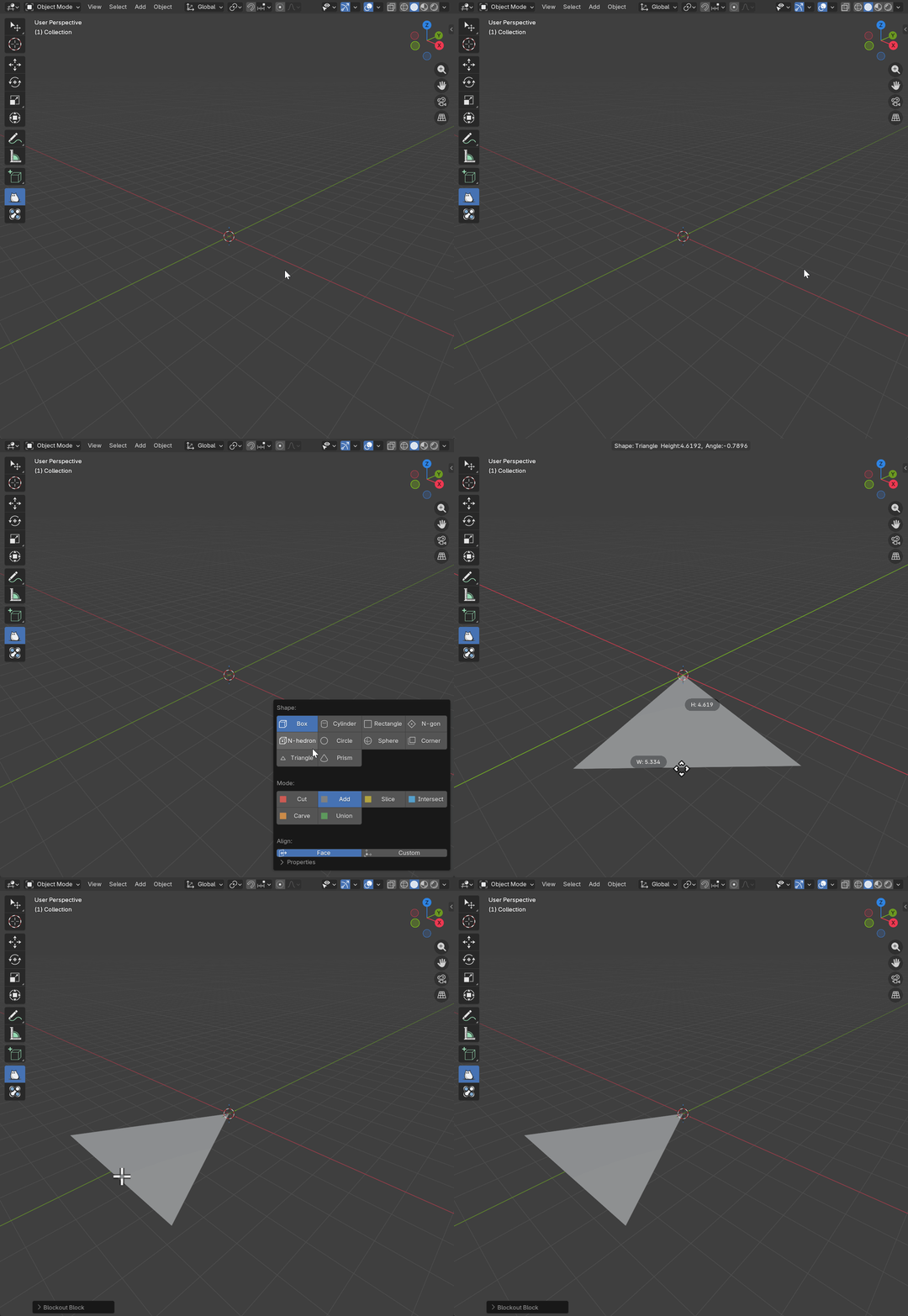
Basic Usage
- Activate Block tool and select Triangle shape
- Click and hold on surface to start drawing
- Drag to define the triangle’s baseline and height
- Release to create the shape
- Shape is created as a face (no thickness)
Parameters
Height
- Description: The height of the triangle
- Range: 0.001 to 100.0 (Blender units)
- Default: Based on draw distance
- Effect: Controls the distance from the base to the opposite vertex
Angle
- Description: The angle of the top vertex
- Range: 1.0 to 179.0 degrees
- Default: 90.0
- Effect: Controls the sharpness of the triangle’s peak
Symmetry
- Type: Boolean
- Default: True
- Effect: Mirrors triangle creation along height
Flip
- Type: Boolean
- Default: False
- Effect: Flips the triangle orientation
Offset
- Description: Distance to offset triangle from drawing plane
- Range: -10.0 to 10.0 (Blender units)
- Default: 0.001
- Effect: Positions triangle above/below surface
Shortcuts
| Key | Action |
|---|---|
LMB | Draw base triangle |
Mouse Move | Adjust triangle |
Ctrl | Constrain proportions |
RMB / ESC | Cancel operation |
X | Toggle Symmetry |
F | Toggle Flip |